

This step-by-step guide explains everything you need to know-from device requirements and room setup to exam-day rules and common mistakes- so you can take the test confidently and without technical stress.
The China Scholastic Competency Assessment (CSCA) is now a key requirement for undergraduate admissions at many Chinese universities. Since the test is fully online and remotely proctored, preparation goes far beyond academics.
This guide is written especially for international students taking the CSCA home-based exam for the first time.
What is the CSCA Home-Based Test?
The CSCA Home-Based Test is an online, proctored assessment conducted from your home using:
- A primary computer for answering questions and face monitoring
- A secondary device (smartphone/tablet) for room and hand monitoring
- Live proctors and AI-based supervision
The goal is to ensure fairness, integrity, and standardization, similar to an in-person exam.
CSCA Home-Based Test Requirements (Must-Read)
1. Primary Device Requirements (Computer)
Your main test device must be a Windows computer (MacOS is not supported).
Minimum requirements:
- Windows 10/11 or Windows 7 SP1 (64-bit, genuine)
- RAM: 4GB or higher
- Screen resolution: 1366 × 768 or above
- Webcam: Minimum 720p (1080p recommended)
- Single screen only (external monitors not allowed)
- Wired power supply throughout the test
❌ VPNs, virtual machines, remote desktop tools, and screen filters are strictly prohibited.
2. Secondary Device Requirements (Phone or Tablet)
You must use a second device for rear-side monitoring:
- Smartphone or tablet with a working camera
- Stable stand or tripod
- Fully charged or plugged in
- Browser-based (no app installation required)
This camera must show:
- Your upper body
- Both hands
- Desk surface
- Computer screen
3. Internet Requirements for CSCA Test
A stable internet connection is critical.
Minimum requirements:
- 20 Mbps upload & download speed
- Sustained speed of 500 KB/s
- Wired broadband recommended
- Backup mobile hotspot strongly advised
You must pass the official CSCA network speed test before test day.
How to set up your CSCA Exam Room
Testing Room Rules
- Private, quiet, enclosed room
- No other person allowed
- No public places (cafés, libraries, shared offices)
Seating & Desk Setup
- Sit facing a wall, back to the room
- Desk placed against two walls (corner seating)
- Only approved items on desk:
- Computer
- Keyboard & mouse
- Scratch material
- Passport & admission ticket (before test)
🚫 Beds, sofas, laps, or floor seating are not allowed.
CSCA Scratch Paper Rules (Very Important)
You are allowed only ONE of the following:
- A small whiteboardOR
- One blank paper inside a transparent file
Allowed:
- Non-permanent whiteboard marker
- Whiteboard eraser
Not allowed:
- Notebooks
- Loose paper
- Pens, pencils
- Tissues or wet wipes
📌 After the test, you must erase everything on camera.
Camera Setup for CSCA Home-Based Test
Primary Camera (Computer)
- Placed directly above the screen
- Full face and both shoulders visible
- No hats or head coverings
- Camera must stay on throughout the test
Secondary Camera (Phone/Tablet)
- 1–1.5 meters behind you
- 45-degree angle from left or right
- Stable and unmoved during the test
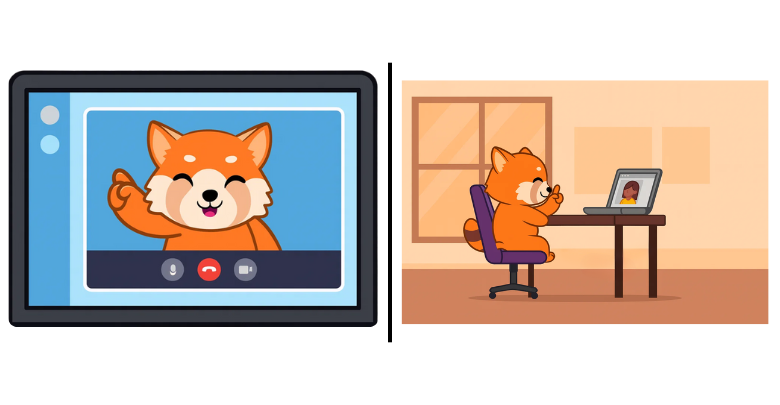
Incorrect camera placement is one of the most common reasons for warnings or test invalidation.
Looking at scholarship options for studying in China? Click here.
Mandatory Pre-Test Checks (Do Not Skip)
Network Speed Test
You must complete the official CSCA speed test within the announced window.
Failing the speed test means you should reschedule, not risk the exam.
Home-Based Equipment Check (Mandatory)
Checks include:
- Camera
- Microphone
- Internet stability
- Facial recognition
- Test software functionality
Skipping this step may prevent exam entry.
Proctored Mock Test (Strongly Recommended)
This is a full rehearsal including:
- Live proctor
- Passport verification
- Room scan
- Scratch material inspection
- Test interface practice
Students who attend the mock test experience far fewer issues on exam day.
What Happens on CSCA Test Day?
Before the Test (45–60 Minutes Early)
- Close all background apps
- Turn off antivirus software
- Plug in all devices
- Set phones to Do Not Disturb
- Keep passport and admission ticket ready
⚠️ Late entry is not allowed.
Identity & Environment Verification
You will be asked to:
- Show your passport
- Perform a 360° room scan
- Show blank scratch materials
- Show wrists (no watches or devices)
- Briefly remove glasses (if worn)
Only after approval can you start the test.
During the CSCA Exam
- You cannot submit early
- Answers auto-save
- You may review and change answers
- Cameras and microphone must remain on
- If internet disconnects, you can re-login
🚫 Suspicious behavior (frequent looking away, leaving seat, blocking camera) may lead to warnings or score cancellation.
After the CSCA Test
Before exiting:
- Erase scratch materials on camera
- Show both sides of admission ticket
- Wait for proctor confirmation
- Keep the CSCA test software until scores are released
Deleting files too early may cause serious problems.
Common CSCA Home-Based Test Mistakes to Avoid
- Using Mac instead of Windows
- Poor internet connection
- Wrong camera angles
- Unauthorized paper or pens
- Skipping mock test
- Forgetting to erase scratch material
- Leaving seat during the exam
Final Tips for CSCA Test Success
✔ Prepare your setup at least one week in advance✔ Take the mock test seriously✔ Follow proctor instructions calmly✔ Treat the exam like an in-person test
The CSCA Home-Based Test is strict—but fully manageable if you prepare correctly.
Need Help with CSCA or Studying in China?
If you’re applying to Chinese universities and need guidance on CSCA preparation, eligibility, or admissions, getting expert support can make a big difference.Need help preparing your CSCA test or admissions? Contact WiseAdmit for personalized support and CSCA Preparation Classes registration.


